


Quick answer
Switching a Google Business Profile from storefront to service-area business, or back again, usually does not remove your existing Google reviews because reviews stay attached to the profile itself rather than the public address setting. The real risk is operational: a major edit can trigger reverification, a short ranking dip, category conflicts, duplicate listings or even suspension if the new setup breaks Google Business Profile rules. Before you change anything, save your current NAP details, categories, review count, review URL and screenshots. If a review breaks policy, Google still expects a policy-based removal request.
This guide is written from live profile-edit and review-removal work at BGR Review, not from copied help-thread summaries. Since 2019, our team in New York, London and Thornhill has worked with 15,000+ businesses on Google reviews, verified review delivery and removals, and we charge $449 per removed review link only after success, with $0 upfront.
The field detail most guides miss is what happens right after a major edit: the profile often enters reverification or a quiet review state, rankings soften first, and owners assume their google reviews service area business switch caused review loss when the reviews are still attached to the CID. We also see preventable damage when someone creates a second listing or changes the business name, primary category and address settings in one session, which gives Google mixed entity signals and leaves duplicate clean-up work behind.
What happens to your Google reviews when you switch to a service-area business
Your existing Google reviews usually stay on the same Google Business Profile when you switch to a service-area business, because Google ties reviews to the profile entity itself, not to whether your street address is visible to the public.
A storefront-to-SAB edit changes how the profile is presented and which eligibility signals Google uses in Maps. It does not work like a review reset under Google Business Profile rules. Since BGR Review started in 2019, this is the first point we have had to clarify for owners who panic after hiding an address: the review count often stays intact while the profile looks different in search, which creates the false impression that reviews were wiped.
What moves faster is visibility. After a major edit, Google can ask for reverification or put the profile through a quieter review state, and rankings can soften for days or a few weeks even though the star rating and total review count remain the same. That matters because owners often contact us about “missing reviews” when the real change is reduced local pack exposure, not review deletion.
The bigger risk comes from stacking edits. If you change your business name, primary category, phone number and address settings in one session, you give Google mixed entity signals and increase the chance of support trouble later. Record three things before you save anything: your live review count, your direct review URL, and dated screenshots of the profile. That gives you a clean before-and-after record if you later need to prove whether the reviews changed or only the visibility did.
What Google counts as a service-area business
A service-area business in Google Business Profile is a business that goes to the customer, rather than serving walk-in customers from a permanently staffed location during its stated opening hours.
Google Business Profile Help says you should hide your address if staff are not consistently present there to receive customers face to face. That rule catches more profiles than owners expect: home addresses, virtual offices, shared desks and appointment-only spaces usually fail if nobody is there for walk-ins during the hours shown. A hybrid setup can qualify, but only if you genuinely do both - serve customers at the address and travel out to them.
Service areas tell Google where you operate. They do not override your primary category, your review profile or the searcher’s proximity to the business. Since BGR Review started in 2019, the expensive mistake we keep seeing is owners treating the service-area field like a ranking lever, then editing an ineligible storefront into the same profile and triggering a suspension review instead.
That matters because a suspended profile can keep old reviews visible while blocking the profile from collecting new ones until reinstatement work is finished. If you need help after a suspension or review issue, BGR Review handles Google review removals on a pay-after-success basis at $449 per removed review link with $0 upfront.
Will hiding your address make reviews less trustworthy
Hiding your address on a Google Business Profile does not remove your star rating or written reviews, but it does remove one visible trust cue: a precise street location attached to the listing. Google still shows the same review count and rating after the switch if the profile itself stays intact. What changes is how a searcher judges credibility at a glance, especially for local services where people expect to know roughly where you are based.
Plumbers, locksmiths and mobile cleaners get checked harder once the address disappears. Since 2019, BGR Review has seen owners blame the switch for “weaker reviews” when the real issue was thinner profile context: vague review text, old photos, sparse services and no recent owner replies. Searchers start reading reviews more closely for neighbourhood names, job types, arrival speed and whether your responses sound real. “Fixed a leak in Croydon within 2 hours” carries more weight than “great service”.
If your profile only has a small handful of reviews, hiding the address can make the listing feel less established even when the average rating stays exactly the same. Fix that before you switch. Update your services, business description, service areas and recent owner responses first, so the profile still looks complete when the location field stops doing that trust work for you.
How the switch can affect visibility in Maps and the local pack
Switching a Google Business Profile from storefront to service-area can weaken Maps and local pack visibility for a period because Google recalculates relevance, distance and profile confidence after a major edit, even when your review count stays intact. The ranking effect sits separate from review retention. Since 2019, BGR Review has had to explain this distinction often: owners search their brand, still see the profile and all reviews, then assume nothing changed, while non-branded terms slip first.
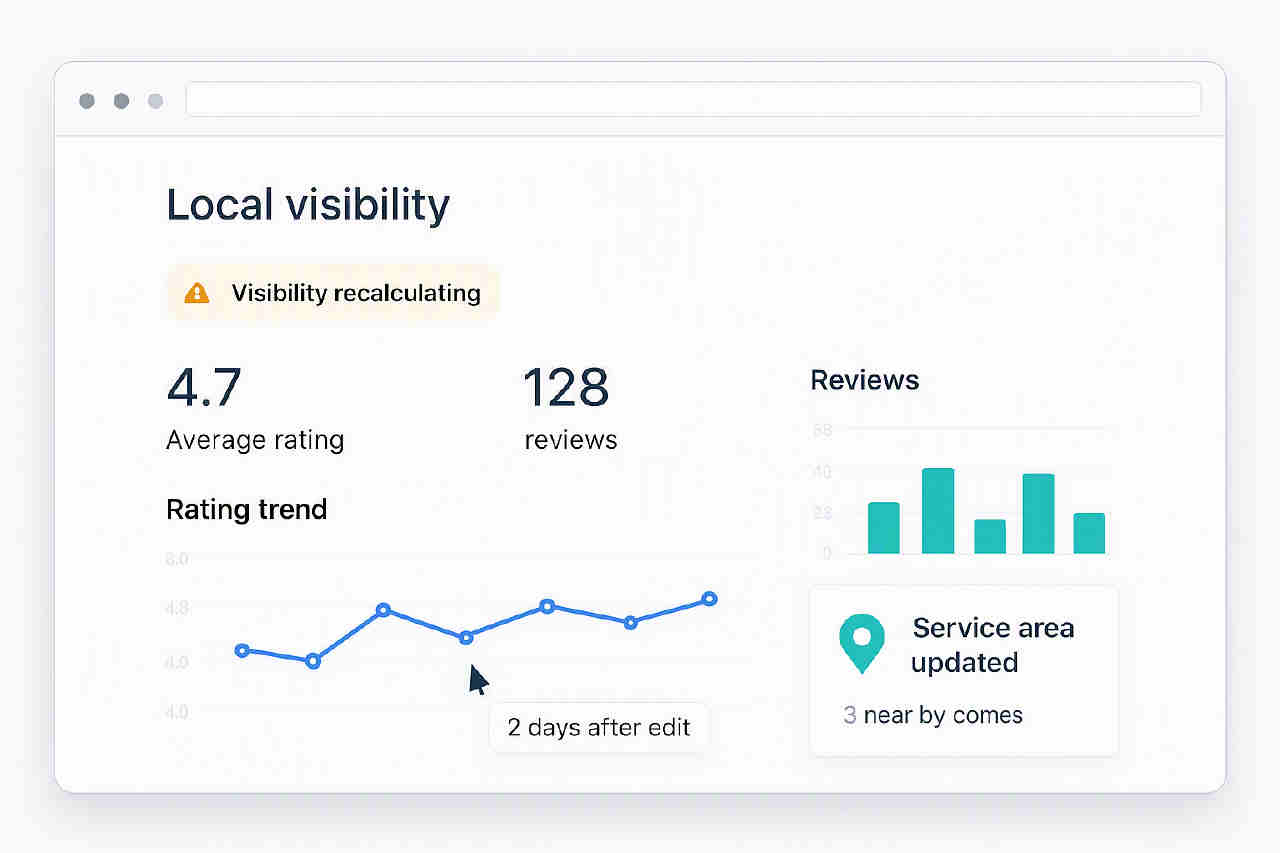
Reviews still feed prominence, but the service areas you add in the editor do not give you automatic reach across every city on the list. Google Business Profile Help is clear that service areas help describe where you work; they are not a city-ranking shortcut. The wobble usually shows up on searches like “plumber near me” or “roof repair [town]”, while branded searches remain steadier because entity recognition is stronger than generic local intent.
If you change primary category at the same time, expect a sharper reset. Category relevance is one of the strongest local signals, so “general contractor” to “bathroom remodeler” can move rankings more than hiding the address. Track the simple before-and-after set for at least 14 days after the edit: branded ranking, top non-branded terms, calls, direction requests if they still apply, and review count. That is the same monitoring frame our New York, London and Thornhill teams use before deciding whether a dip is temporary or needs cleanup work.
Which profile edits create the most risk during the switch
The highest-risk switch is a single edit session where you change your business name, primary category, phone number and address visibility together, because Google reads that as multiple core identity signals changing at once.
That combination causes more trouble than hiding the address by itself. Address hiding is usually the lower-risk edit if the underlying street address, city and contact details stay the same. The bigger triggers are changing the actual address, moving into a different city, or creating a second Google Business Profile for the same company instead of editing the existing one. Since BGR Review started handling Google profile clean-up work in 2019, the messiest recoveries have usually involved mixed entity signals from two listings that should have been one.
| Edit during switch | Risk level | Why it bites |
|---|---|---|
| Hide address only | Lower | Eligibility change, but core entity details stay intact |
| Change primary category | High | Primary category heavily affects local relevance and can hurt rankings fast |
| Move address or city | High | Google may treat it as a materially different local entity |
| Name + phone + category + address visibility together | Highest | Too many identity fields change in one pass |
A storefront-to-SAB change often triggers reverification, especially when a previously staffed address disappears from public view. Stage the edits. Make the eligibility fix first, complete verification if Google asks, then give the profile time to settle before touching categories or naming. If you later need help with duplicate cleanup or a policy-based review removal, BGR Review handles removals on a pay-after-success basis at $449 per removed review link with $0 upfront.
What to check before you change the profile
Check the live profile state before you touch the address setting, because Google Business Profile edits are easier to reverse on paper than in Maps.
- Capture the current NAP and profile basics: business name, phone number, website URL, primary and secondary categories, opening hours, review count, and your direct review link. Take screenshots of the main profile, the reviews tab, and the “About” section on the same day.
- Search Google Maps for duplicates before the switch: your brand name, old phone numbers, former addresses, practitioner names, and any past locations. A storefront-to-SAB edit is the worst moment to discover an old listing that still carries the same category or phone number.
- Read your latest reviews for location wording. If several recent reviews mention parking, reception staff, or “visited your office”, the reviews can stay valid but the page may feel out of sync once the address disappears.
- Check eligibility in Google Business Profile Help before hiding the address. If you still serve customers at the location during stated hours, a full service-area setup may conflict with Google’s stated rules.
The field-level mistake that causes the most clean-up work is changing too much at once. Creating a second listing, changing the business name, swapping the main category, and hiding the address in one session gives Google mixed entity signals. Since 2019, BGR Review has had to untangle that pattern more than the original switch itself.
Set a baseline date before you save anything. Compare calls, direction requests, website clicks, ranking terms, and review visibility at 7 days and 30 days after the edit; that split helps you separate normal turbulence from a real decline, which matters before you spend money on any review or removal work.
What actually happens after you save the change
After you save a storefront-to-service-area change, Google can do one of three things: publish it straight away, hold the edit for review, or trigger reverification while the profile still looks live to the public.
The awkward part is that a live-looking profile does not mean every field has cleared. We regularly see Google Business Profile edits show the new service-area setup on day 1 while the address state, categories or service-area lines are still being assessed in the background through Google Business Profile Help workflows. Your reviews usually stay visible during that period. What drops first is often calls, direction-less discovery and map visibility.
That pattern gets misread as review loss. The reviews are still attached to the same profile, but Google appears to recalculate confidence after a major entity edit, especially if the address display, primary category and service area changed in one session. In our removal and review-recovery work since 2019, this is one of the clearest post-edit patterns: owners send screenshots showing all reviews still present, yet report weaker rankings within 72 hours. That points to profile stability and trust recalculation, not deleted reviews.
If Google asks you to reverify, treat that prompt as urgent. A delayed video verification or proof request can leave the listing in a softer state for longer than most owners expect, and support gets harder once the audit trail shows several identity signals changing at once. That is the same mess BGR Review often has to untangle before any review collection work can resume, whether the client came through our New York, London or Thornhill team.
| Checkpoint | What to look for |
|---|---|
| Day 1 | Reviews still visible, edit published, any reverification prompt completed |
| Day 3 | Calls and Maps visibility may still be soft even with no review change |
| Around day 14 | If reviews remain and rankings lag, leave the profile stable rather than changing more fields |
If your reviews are still there at the two-week mark, review work is rarely the fix. Stability is. Save fewer edits, finish reverification, and avoid creating a second listing while the first one is settling.
When reviews can become a problem after the switch
Reviews become a problem after a service-area switch when the profile still holds social proof, but the story those reviews tell no longer matches the business Google sees. The switch itself usually does not wipe existing Google reviews from the profile. The awkward part is relevance: if older reviews praise your waiting room, walk-in service or shop location, and you now serve customers at their premises, those reviews still count but can weaken trust with new searchers.
A bigger break happens when the edit is really a business change rather than an address setting change. If the ownership, legal entity, trading name or core brand changed at the same time, Google may not treat the profile as the same local business under its Google Business Profile guidelines. Since 2019, BGR Review has seen continuity disputes land in the harder bucket fast once owners try to carry reviews from one entity to another.
Merged listings, duplicate suppression and reinstatement cases create most of the “my reviews vanished” panic after a switch. In practice, the reviews often still exist in Google’s system, but they sit on the duplicate, the old CID-linked profile, or a listing waiting for merge cleanup. That is a profile-integrity problem, not a service-area rule, and it usually needs profile cleanup before any review-removal work makes sense.
A suspended profile can still retain past reviews technically, but you lose the part that matters: visibility in Search and Maps, plus the ability to collect fresh reviews until reinstatement is approved. Hiding the address does nothing if the setup is out of policy, misleading or ineligible. If you later need a policy-based takedown for a review on the wrong profile, our removal model stays the same: $0 upfront, $449 per removed review link, pay only after success.
How to preserve trust signals when the address disappears
You preserve trust on a hidden-address Google Business Profile by making the visible signals fresher, more specific and easier to verify than the missing storefront cue. Push the basics first: recent Google reviews, prompt owner responses, accurate operating hours, a clear services section and landing pages on your own site for the towns you actually cover. BGR Review has worked on Google review acquisition since 2019, and the profiles that hold up best after an address is hidden are usually the ones with current activity, not the ones with the longest history.
Ask for reviews that describe the job and the area in natural language. “Boiler repair in Croydon” or “wedding makeup at our hotel in Manhattan” helps more than vague praise, but do not script location stuffing or invented details. Google’s content policies still apply, and the FTC’s endorsement rules require honest customer feedback rather than coached claims.
Owner responses carry more weight once the pin no longer proves you trade from a public location. A short reply is enough if it adds operational detail: thank the customer, mention the service delivered, and reference the area served. That gives readers a current, real-world cue that the profile still matches the work you do.
Refresh the media as well. Replace old storefront photos with current shots of vans, staff on site or completed work, because outdated frontage images create friction on a service-area listing. If you use a review provider, keep it compliant and verified; BGR Review’s packages include a 30-day free replacement guarantee, but that guarantee never overrides Google policy.
How to ask for new Google reviews after becoming a service-area business
Your Google review request process can stay the same after a switch to a service-area business, provided the Google Business Profile is still live and the review link points to the same profile.
Send the direct Google review link as soon as the job is done, ideally within 24 to 48 hours while the service details are still fresh. That matters more for a service-area business because the customer may never have visited your premises, so their review needs to anchor itself in the work you did, how you communicated, and the area you served. Since 2019, BGR Review has seen a simple post-switch mistake cause avoidable review loss: owners keep using an old short link or a saved QR code without checking whether it still resolves to the correct GBP after the edit.
Ask for honest detail, not polished copy. A good prompt is: “Would you mention the job we completed, how our team communicated, and the area we attended?” Do not offer discounts, gifts or any other incentive, and do not draft the review for the customer. Google’s review policy and consumer-protection rules such as the FTC’s endorsements guidance treat that badly.
If the switch caused a short visibility dip, keep requesting reviews anyway. The profile often recovers before the new reviews fully influence click-through and local relevance, so steady review flow helps once the listing settles again. If you need hands-on help with compliant review collection after a GBP change, BGR Review offers managed review campaigns with a 30-day free replacement guarantee on review packages.
What to do if a bad review appears during or after the switch
A bad review that lands during or after a service-area switch should be handled under Google’s review rules, not blamed on the switch itself. Google removes reviews for policy breaches under its Maps user-contributed content policy, such as spam and fake engagement, off-topic content, harassment, or other prohibited content. Changing from a storefront to a service-area setup does not make a review removable by itself, and that mistaken assumption creates a lot of wasted flagging.
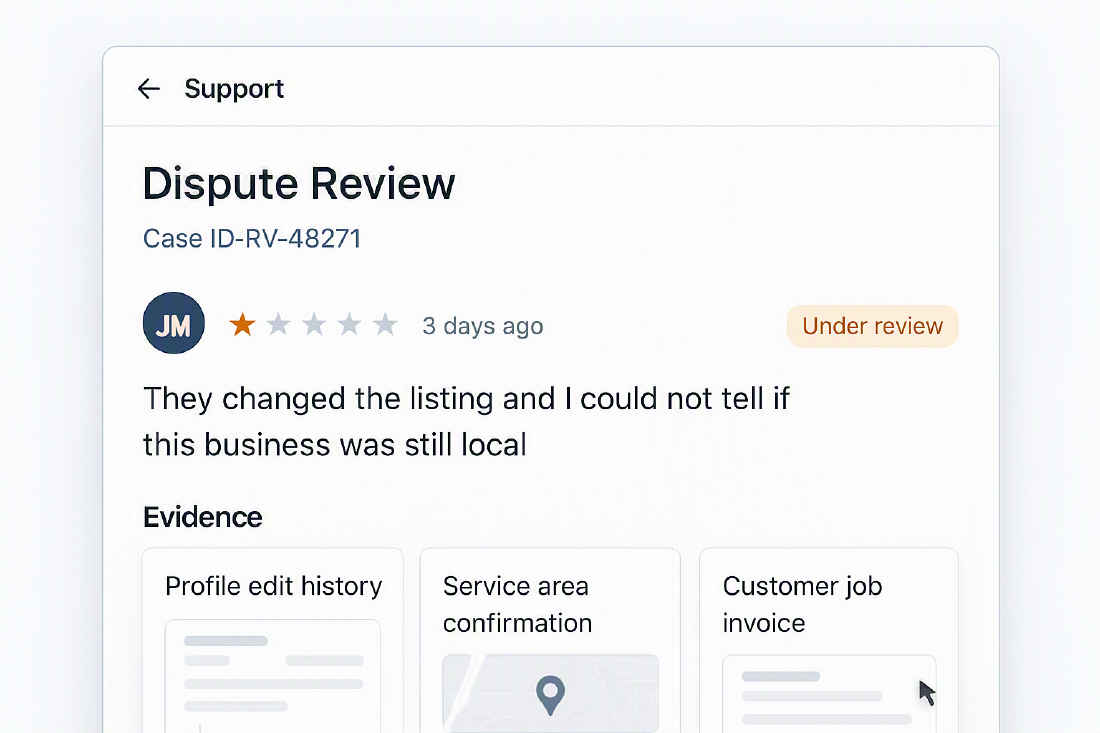
If the review looks genuine and does not clearly breach policy, reply first. During a profile edit, a calm public response often does more for trust than chasing removal, especially when your address has just disappeared and people are checking how you handle complaints. Since 2019, our team at BGR Review has seen owners fixate on the timing of the switch when the real question is simpler: can you point to a named policy violation, line by line.
Flag the review only when you can tie it to a specific Google rule. “This is unfair” rarely goes anywhere; “this reviewer was never a customer and the post contains promotional links” gives Google a concrete spam signal to assess. If removal is justified but DIY flagging fails, specialist help can make sense. BGR Review handles Google review removals on a pay-after-success basis with $0 upfront and $449 per removed review link, which is the right route when the evidence is solid and the standard flag has stalled.
Storefront versus service-area business: what changes for reviews and trust
A storefront profile gives people a visible street address to trust, while a service-area profile hides that address and asks your reviews, service detail and coverage areas to do more of the credibility work under Google's Business Profile guidelines.
| Setup | What users see | What reviews tend to signal | What trust hinges on |
|---|---|---|---|
| Storefront | Public address, map pin, premises context | Directions, parking, waiting room, in-person staff, footfall expectations | Location proof, accurate hours, strong responses to on-site service feedback |
| Service-area business | No public address, service areas only | Arrival times, service quality at the customer's location, area coverage, communication | Clear service descriptions, fast review responses, consistent city and service wording |
Reviews usually stay attached to the same profile in either setup, but people read them differently once the premises disappears. A line like “easy to find on High Street” helps a storefront more than an SAB. Google Business Profile rules still decide the safe choice. Match the profile to how you really serve customers, because switching for ranking reasons alone is the edit that creates avoidable clean-up later.
A practical checklist for switching without damaging review performance
A safe switch protects the same profile, the same review history and the same customer path before you ask Google to reprocess anything.
- Check eligibility first against Google Business Profile Help. If you still accept walk-ins at your stated hours, keep the storefront format and do not hide the address just to “tidy” the listing.
- Record your baseline before editing. Save screenshots of the live profile, review count, average rating, primary and secondary categories, phone number, website URL, opening hours and your direct review link.
- Make one core edit first. Changing address status, business name and category in the same session creates mixed entity signals, and that is the field-level mess that usually leads to duplicate clean-up later.
- Watch the profile on day 1, day 3, day 14 and day 30. Check whether reviews still display, whether branded and local rankings soften, and whether calls still reach the same number.
- If the switch triggers a duplicate, suspension or review dispute tied to policy, fix profile integrity before pushing review requests. At BGR Review, that is the point where we tell clients to stop promotion and clean the listing first; if removal is needed later, our model is $0 upfront and $449 per removed review link after success.
Where to go from here
Change the profile only when the setting matches how you actually operate. If customers visit a staffed location during stated hours, keep it as a storefront. If you travel to them and do not serve walk-ins, switch to a service-area setup and expect the bigger risk to be reverification, duplicate listings or weaker trust cues after the address disappears, not your existing Google reviews vanishing. Your next step is simple: screenshot the current profile, export the key fields you can see, check for duplicate or practitioner listings, then make one core change at a time. That gives you a cleaner before-and-after view if rankings soften during Google’s review period.
If the profile is already messy, do the clean-up yourself first. Merge duplicates, fix categories, and hold off on changing the business name, phone and address setting in one session. If you need help after that, BGR Review handles policy-based Google review removal at $0 upfront and $449 per removed review link, and we also offer compliant Google review growth packages with a 30-day free replacement guarantee. Start with the audit. Paid help works better once the entity signals are clean.