


Quick answer
If your Google Business Profile is suspended, fix the underlying policy problem before you submit a reinstatement request. The usual causes are business name compliance, address eligibility, category mismatch, duplicate listings, or risky edits made shortly before the suspension. Send Google one evidence pack it can reconcile in a single pass: storefront signage, business licence, utility bill, domain ownership, and photos that match the profile details. Google may also ask for video verification showing your location, branding and tools of trade. Repeated form submissions and fresh edits usually slow recovery and can trigger another review cycle.
This page is written for people dealing with live suspension risk, based on the same operator workflow BGR Review uses when a profile disappears from the map pack and calls stop. The first check is simple but most guides skip it: identify the last risky edit, map it to the likely Google Business Profile policy breach, then build documents that prove the corrected version, not the old one.
That matters because weak filings fail in predictable ways. Across 12,000+ negative review cases logged by BGR Review between June 2025 and June 2026, we recorded outcomes as success, unresolved or unknown rather than padding the numbers, and the same discipline applies here: one clean submission, minimal edits after filing, and a rejection plan if Google says no.
What should you fix first when your Google Business Profile gets suspended?
Fix the trigger before you appeal. The fastest recovery path is usually this: confirm whether the listing is soft or hard suspended, check the edits made just before the suspension, correct any conflict with Google Business Profile policies on name, address or category, then build proof before you submit the reinstatement request form.
Most guides tell you to file the form first. That fails because Google reviews the current profile state, not the version you meant to have, so unresolved edits before suspension keep the same policy mismatch in place and the appeal stalls or gets rejected. The better move is to reverse the highest-risk changes first: business name stuffed with keywords, an address that is not eligible for display, a primary category that no longer matches the real service, or an ownership and manager access change that broke trust signals.
A 15-minute triage beats a rushed appeal because it forces you to fix what Google can actually reconcile in one pass. Across 12,000+ negative review cases logged by BGR Review between June 2025 and June 2026, roughly 90% of businesses that came to us after a failed first attempt had used only the basic in-platform report route with no supporting documentation, and 70–80% of those initial requests had been rejected; a rejection did not prove the issue was valid, only that the file was weak.
Use this order before you touch the form.
| Check first | What to look for | Fix before appeal |
|---|---|---|
| Profile state | Soft suspension or hard suspension symptoms after the last edit | Match the appeal to the actual status instead of guessing |
| Latest edits | Name, address, primary category, hours, website, ownership transfer | Reverse risky edits to the last clearly compliant version |
| Policy fit | Business name compliance, address eligibility, business category accuracy | Align the profile with Google Business Profile policies and your real-world documents |
| Evidence gaps | No licence, utility bill, storefront proof, or access trail | Collect the documents before filing so Google can verify in one review pass |
If your profile drives calls from the map pack, this order protects revenue as well as reinstatement odds. Filing too early can leave you suspended longer, which cuts click-through from branded search and local discovery queries, and that drop usually hits calls, bookings and form fills before you see it in reporting.
Is it a soft suspension or a hard suspension, and why does that change the next step?
A soft suspension usually means your Google Business Profile is still in your dashboard but has lost public listing visibility; a hard suspension usually means the profile is disabled more completely or removed from view altogether. That split changes the appeal route, the documents you prepare, and whether Google is likely to ask for reverification after review.
Most guides treat every suspension the same and tell you to submit the reinstatement request form immediately. That fails because Google reviews different support status signals differently: a profile that still exists in your account but shows no map pack presence usually needs you to prove eligibility and reverse the risky edit, while a profile visible nowhere often triggers a stricter review and can come back only after fresh verification.
The fastest way to diagnose it is to compare what you see in the dashboard with what searchers see on Google Search and Maps.
| What you see | Likely suspension type | Next step |
|---|---|---|
| Owner access remains, but the profile does not appear publicly | Soft suspension | Check the last edit, restore compliant details, then file the correct appeal |
| Profile is disabled, missing, or unavailable in Search and Maps | Hard suspension | Prepare a fuller evidence pack and expect reverification, often video verification |
| Conflicting notices across email, dashboard and help threads | Unclear support status | Pause edits and confirm whether the listing still has any public visibility before appealing |
Matching the appeal to the suspension type works because Google can reconcile the case in one pass. Filing the wrong route creates delay, weakens your explanation, and increases the chance that the profile stays out of the local pack long enough to hurt click-through rate, calls and branded search demand.
Why do compliant businesses still get suspended after routine profile edits?
Compliant profiles still get suspended because Google often reacts to edit patterns, not your intent, and a routine update can resemble misrepresentation when several fields shift together, new access is added, or the system detects a duplicate within 24 to 72 hours.
The wrong approach is to treat routine maintenance as harmless and stack changes in one session: rewrite the business name, swap the primary category, move the address pin, then create a second listing because the first one looks stuck. That fails because the edits before suspension now point in the same direction as common abuse signals under Google Business Profile policies: keyword-stuffed names, ineligible addresses, category manipulation and duplicate listings. A compliant plumber can trigger the same automated check as a lead-gen spam profile if the change set looks too broad.
The safer approach is to map each edit to a real-world business event and keep ownership and manager access consistent while you do it. If you changed premises, update the address and keep documents ready; if you changed services, adjust categories without rewriting the trading name; if ownership transferred, clean up old managers instead of piling new users onto the profile overnight. Bulk changes across locations are where this goes wrong fastest, which is why businesses often reach BGR Review after a central admin pushes templated edits and several profiles drop from the local pack at once, taking calls, bookings and map-pack click-through with them.
Which policy rules trigger the most reinstatement failures on name, address and eligibility?
Most failed reinstatement requests come back to three policy checks: business name compliance, address eligibility, and category accuracy. If your signage, staffed presence, or actual service model conflicts with the listing, Google often rejects the appeal even when you can prove you own the business.
The wrong approach is to argue ownership alone. A utility bill, company registration, or manager access proves the profile belongs to you, but Google Business Profile policies still ask whether the business name matches your real-world branding and whether the location is eligible to appear on Maps. Keyword-stuffed names fail here fast: if the profile says “Brighton Emergency Plumber 24/7” but your shop sign, website header, and invoices say “Brighton Plumbing Ltd”, the reinstatement reviewer has a mismatch they cannot reconcile in one pass, and that usually blocks your return to the local pack and drags down click-through from branded search.
Address issues fail for the same reason. Owning a unit in a virtual office or co-working space does not automatically meet Google’s location rules; the location must be staffed during stated hours, and the business must be eligible to receive customers there if the address is shown. A service-area business that does not serve customers at the address should hide it. Leaving a residential address or shared office visible when no customer-facing service happens there is one of the quickest ways to trigger another suspension after reinstatement, especially if your category suggests walk-in trade and your website says visits are by appointment elsewhere.
The right fix is boring and specific: strip extra keywords from the name, set categories to the service you actually deliver, and decide whether the address is public or hidden based on eligibility, not preference. That gives Google a profile that matches signage, site content, invoices, and customer journey, which is what gets a suspended Google Business Profile back into Maps without risking another review pass a week later.
What evidence does Google usually need before a reinstatement request has any chance?
Build your evidence pack before you open the reinstatement request form. The submissions with a real chance combine profile-matching business documents with on-site proof: visible signage, premises, tools of trade, website ownership, and contact details that match the listing exactly.
Most failed appeals use general business paperwork. That is where they break. Google does not need a random company file; it needs supporting documents it can reconcile against the suspended Google Business Profile in one pass, down to the business name, address line, phone number and legal entity shown on the profile. If your licence says one trading name, your utility bill shows a suite number the profile omits, and your website footer lists another address, the reviewer has a mismatch problem and your map pack visibility, calls and bookings stay frozen.
The core pack is usually simple: a current licence or registration, a recent utility bill, storefront photos, website proof, and ownership records showing you control the domain, phone and business. Storefront and premises photos work best when they are dated, geolocated and tied to visible signage, entrance access and branded vehicles or tools of trade. For service-area businesses, replace walk-in storefront shots with dispatch location proof, branded equipment, and website contact details that mirror the service area setup.
- Licence or registration showing the exact business name and address
- Utility bill from the same location, recent enough to look current
- Exterior and interior photos with visible signage
- Website proof such as the contact page, footer, and domain ownership record
- Ownership records for manager access, company email, and the phone number on the profile
Across 12,000+ negative review cases logged by BGR Review between June 2025 and June 2026, roughly 90% of businesses that came to us after a failed attempt had used only the basic in-platform report button with no supporting documentation, and 70–80% of those initial requests had been rejected. Rejection does not prove the profile is invalid. It usually means Google could not verify the evidence quickly enough to restore local pack presence, branded search demand and conversion flow.
How do you file the reinstatement request without creating avoidable delays?
A clean reinstatement request works best when you file it once, after the profile fixes are live, with a short explanation of the violation you corrected and documents that match that explanation. Repeated or premature submissions usually slow review because Google support has to reconcile duplicate support tickets, conflicting edits and mismatched evidence inside the same case history.
The wrong approach is the one most suspended owners take under pressure: submit the reinstatement request form, then send two more forms the next day, then keep editing the profile while waiting. That fails because the reviewer may see one form saying the business name was corrected, another showing the old name still pending, and a third ticket with different attachments. Across 12,000+ negative review cases logged by BGR Review from June 2025 to June 2026, roughly 90% of businesses that came to us after a failed attempt had used only the basic in-platform route with minimal support, and 70–80% of those initial requests had been rejected; different issue, same lesson: weak submissions create avoidable dead ends.
The right approach is slower for one day and faster after that. Make the compliance fixes first, wait until the live profile reflects them, then submit one complete request with the case ID copied into every follow-up reply so Google can keep the history in one thread. State what changed in plain English: “Business name corrected to storefront signage”, “service-area setup removed ineligible address display”, or “duplicate listing reported and primary profile retained”.
Attach evidence in the same order as your explanation. If you need to contact support after submission timing has passed and the file is already under review, reply inside the existing thread rather than opening fresh support tickets, because fragmented cases delay reinstatement and keep your Google Business Profile out of the map pack longer, which usually drags down clicks, calls and branded search demand.
How do you pass video verification when Google asks for proof after the appeal?
Pass Google’s post-appeal video check by filming one continuous clip that proves the claimed location, public street context and day-to-day trading activity all belong to the same business, rather than a tidy office walkthrough that shows almost nothing Google can reconcile.
The wrong approach is a slow indoor tour of desks, a reception area and a logo on a wall. That fails because video verification is trying to confirm address proof in the real world: storefront signage, the street outside, the entrance customers would actually use, and evidence that your Google Business Profile represents a genuine operating business at that address. Start outside. Show the building number, nearby street signs, your storefront signage if you have it, then walk to the door and into the space without stopping the recording.
Keep the clip continuous. Cuts, stitched clips and edited audio weaken verification trust because Google cannot tell whether the tools of trade, branded vehicles or customer-facing work areas belong to the same location. For service-area businesses, film the vehicle branding, equipment, stock, uniforms or job materials linked to the business name. BGR Review sells reputation and review services, but this step is usually best done by you because only you can show live access, keys, alarm entry or the workspace exactly as Google will expect to see it.
What should you do if Google rejects your reinstatement request?
A rejection usually tells you what Google could not reconcile, rather than ending the reinstatement path. Your next move is to match the rejection wording to a specific evidence gap or policy mismatch, fix that exact point on the Google Business Profile, and then submit a tighter follow-up or escalate with cleaner proof.
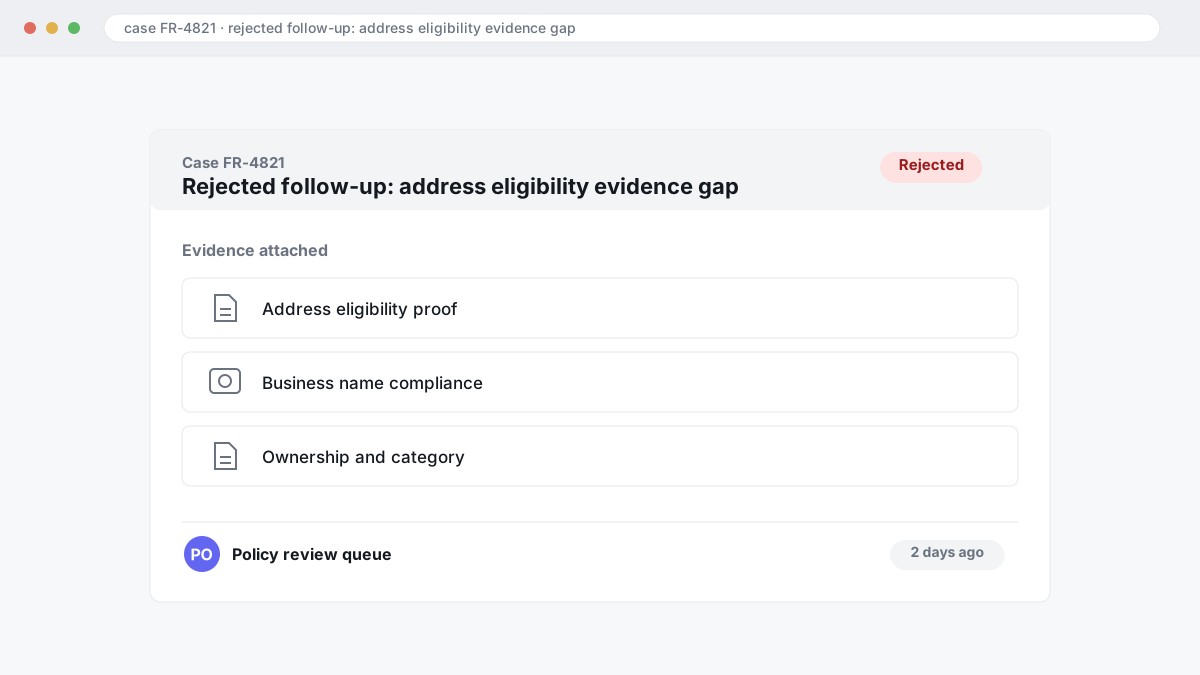
Read the rejection line by line. If Google questions address eligibility, treat that differently from business name compliance, ownership, or a category problem. In BGR Review's case file of 12,000+ negative review cases logged June 2025 to June 2026, roughly 90% of businesses that came to us after a failed attempt had used only the basic in-platform report or appeal route with no supporting documentation, and 70-80% of those initial requests had been rejected; the lesson carries here too, because missing evidence often gets read as an unsupported claim.
Most rejected appeals fail twice because the owner resubmits the same packet and hopes a different reviewer reaches a different conclusion. That fails because the first rejection already flagged the weak point. The better approach is narrower: if the appeal rejection points to a policy mismatch, rebuild the file around that policy page, remove any non-compliant edit made before suspension, and add documents Google can reconcile in one pass, such as storefront signage for the business name, utility or lease evidence for the address, and company registration that matches the profile exactly.
If the second route needs escalation, keep the ticket history intact and use the Google Business Profile support thread to show what changed since the rejection. A short chronology works better than a long complaint: suspension date, last risky edit, rejection text, corrected profile fields, and the new compliance proof. Escalation helps when the evidence is now clearer. It does not help when the profile still breaks the underlying rule.
When is DIY enough, and when does agency help improve the odds?
DIY is enough when the suspension traces back to one clean mistake, such as a business name edit or category change, and you can prove the correction in one appeal route with matching registration and address documents.
Cheap form-filling fails when the problem is diagnosis, not paperwork. If your profile has address eligibility issues, old duplicate listings, or conflicting manager edits, sending the same reinstatement request again through new support tickets usually creates noise rather than clarity. Google does not need a longer story. It needs one reconciled set of facts that matches the policy issue.
Agency help improves the odds when the evidence pack has to explain why a service-area business should hide its address, why a staffed location is eligible, or which duplicate should be removed before the main profile is reviewed. Across 12,000+ negative review cases logged by BGR Review from June 2025 to June 2026, roughly 90% of businesses who came to us after a failed attempt had used only the basic in-platform report button with no supporting documentation, and 70–80% of those initial requests had been rejected. That is a review-removal dataset, not a published Google rule, but the same weakness shows up in suspension appeals: thin evidence invites rejection.
BGR Review should be treated as paid help, not magic. If the issue is simple, fix it yourself. If you are on a second rejection, or the profile history involves duplicates, address eligibility, and messy support tickets, outside help is usually worth it because it reduces re-suspension risk rather than promising faster approval.
What actually happens from first flag to reinstatement approval in a strong case?
A strong reinstatement case moves in five controlled steps: freeze every edit on the profile, audit for conflicts behind the suspension, build one reconciled evidence pack, file a single reinstatement request, then answer ticket replies without changing the listing again.
The wrong approach is the linear appeal fantasy: submit the form first, keep editing the Google Business Profile while you wait, and assume Google will sort out the rest. That fails because the reviewer often hits parallel problems mid-case: broken ownership and manager access, a hidden duplicate listing, or a merged profile carrying old address data that clashes with your supporting documents. The right approach is to stop all edits, pull the last risky changes, check who still has access, map every live or suspended duplicate by name, phone and address, and only then package proof Google can reconcile in one review pass.
That proof usually means your registration record, utility bill or lease, storefront or vehicle branding, and any document that ties the trading name to the eligible address exactly as shown in the profile. In BGR Review’s dataset of 12,000+ negative review cases logged June 2025 to June 2026, roughly 90% of businesses that came to us after a failed attempt had used only the basic in-platform report route with no supporting documentation, and 70–80% of those initial requests had been rejected. A rejection did not prove legitimacy. It usually proved the file was thin.
Approval is rarely the end of the workflow. If Google restores the listing, keep a short lock-down window: no category swaps, no name tweaks, no address formatting changes, no new manager invites until the profile is stable and the map pack entry, calls and bookings are flowing normally again. That simple control step prevents the second suspension many generic guides cause by treating approval as a green light to resume cleanup.
What should you lock down after reinstatement so the profile stays live?
Reinstatement is not the finish line. Your first job is post-reinstatement stabilisation: make sure the listing is publicly visible again, confirm reviews and core fields, hold non-essential edits for a short cooling-off period, and put change controls around every future update.
The wrong approach is to treat “restored” as “safe” and start cleaning up the profile straight away. That fails because a burst of fresh edits after approval can look like the same risky behaviour that triggered the suspension in the first place, especially if you change categories, hours, address details and manager access together. The right approach is boring: within 24 hours, check search visibility in Maps and Search, review visibility, primary and secondary categories, opening hours, website and phone, and whether the pin still lands on the real entrance. If the facts are wrong, fix only the error. Leave cosmetic changes, service edits and photo tidy-ups alone for 7 to 14 days so ranking recovery has a chance to settle.
Lock down people before you lock down branding. Too many managers with full access create avoidable drift, duplicate edits and weak audit trails, so restrict owner and manager access to the smallest workable group and document every change in a shared log with date, editor and reason. That record matters if Google asks for another review pass, and it helps if a missing review or a policy-breaching review needs action later; across 12,000+ negative review cases logged by BGR Review from June 2025 to June 2026, cases raised within 28 days of posting and backed by a clear policy issue resolved successfully in roughly 90% of cases. If you need removal help at that stage, BGR Review handles it on a pay-after-success basis at $449 per removed review link with $0 upfront.
How practical next step if you want a reinstatement handled cleanly actually works
Start with a Google Business Profile reinstatement checklist that covers the suspension type, profile edits, proof of business existence, submission order, and support escalation triggers. If Google already denied you once, or the case involves a duplicate conflict or service area business eligibility, get a second review before you file again.
The rushed approach is immediate refiling with the same weak form, the same mismatched documents, and no record of what changed. That usually fails because Google compares your reinstatement request form against the current profile, and across 12,000+ negative review cases logged by BGR Review from June 2025 to June 2026, roughly 90% of businesses who came to us after a failed attempt had used only the basic in-platform route with minimal supporting evidence.
Use one owner for documents and one for profile screenshots. Your document owner collects registration, utility bill, licence, and storefront or van branding where relevant; your screenshot owner captures every field before and after edits, including category, address, hidden address status for a service area business, and any duplicate listings.
- Confirm the suspension pattern before changing anything.
- Remove risky edits first: keyword stuffing, ineligible address use, duplicate entries.
- Match proof to the issue, not just the business name.
- File once, in the right order, then track replies and escalation points.
- If denied, or if SAB eligibility is arguable, pause and get a second review before refiling.
If you want a clean handoff, package the checklist, screenshots, and documents into one folder and send it to whoever is handling the appeal before any new edits go live. That keeps map pack recovery, calls, and branded search demand from being delayed by a second avoidable denial.
Where to go from here
Treat a suspended Google Business Profile as a document and compliance problem. Support chat rarely fixes the underlying issue because the reviewer still needs a clean match between your last risky edit, the likely Google Business Profile policy breach, and the supporting documents that prove the profile should be live.
If the listing drives calls, bookings or map-pack visibility, or your first reinstatement request was rejected, stop editing and run a managed reinstatement review before you file again. Pull the edit history, confirm ownership and manager access, check business name compliance, address eligibility, duplicate listings, category accuracy and any failed video verification step, then rebuild the evidence pack so Google can reconcile it in one pass.
That next review should give you a filing decision, a document list and a risk list for post-reinstatement stabilisation. BGR Review handles this by auditing the trigger edit, assembling the appeal pack and advising what must stay unchanged after reinstatement; if you need help, you can reach the team at team@bgrreview.com or +1 561 461 0399 before you submit again.